
The Definitive Guide to OCR Invoice Processing in Restaurants
Introduction: The Friday Night Rush of Invoices
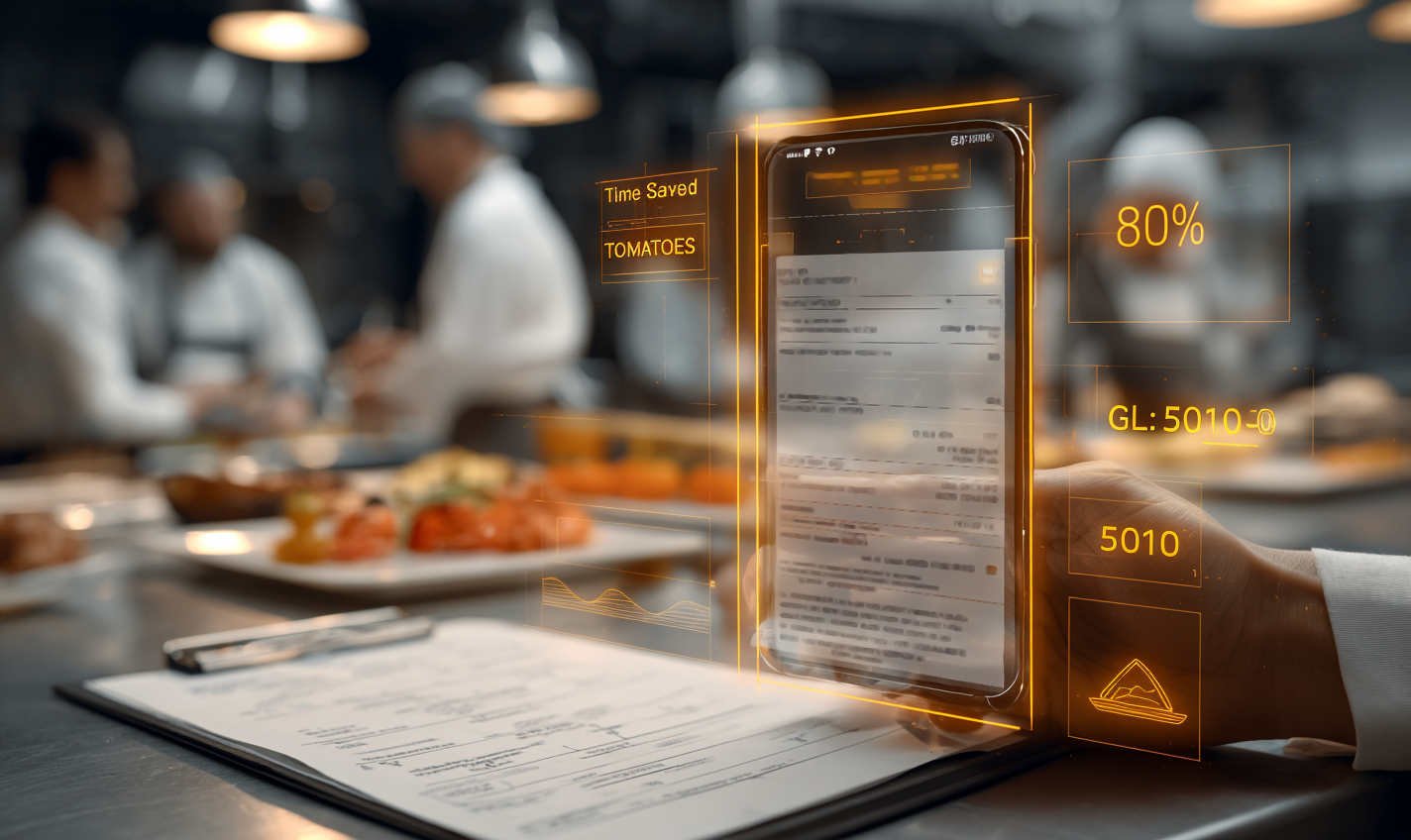
Imagine it’s Saturday morning: you’ve survived the pizza rush, the fryer broke mid-service, and now the finance inbox is full of supplier PDFs; Sysco, US Foods, every vendor imaginable. Somewhere in that pile is a bill listing tomatoes (yes, again 😢), and you need the system to just know to map that line item to the correct food cost budget line, not the linens or labor bucket. This is precisely the pain point that modern invoice automation solves.
In the restaurant world, especially multi-unit operators with 4–50+ locations, manual invoice entry isn’t just tedious, it’s expensive. By 2026, OCR Invoice technology combined with AI will be the industry standard for AP teams, and failing to adopt it can inflate labor costs by 30–40% compared to automated peers.
What Is OCR Invoice Processing?
At its core, what is an OCR invoice processing system? It’s software that reads invoice documents, whether PDFs, scans, or even photos, and turns the text into digital, structured fields that your accounting or ERP system can use without typing. OCR stands for Optical Character Recognition, the foundational feature that converts printed characters into machine-readable data.
That means vendor names, what is an OCR number on an invoice, invoice totals, dates, tax amounts, and line items like your fresh tomatoes get extracted automatically and consistently.
How OCR Extracts Invoice Data
Modern how OCR extracts invoice data workflows do more than scan text:
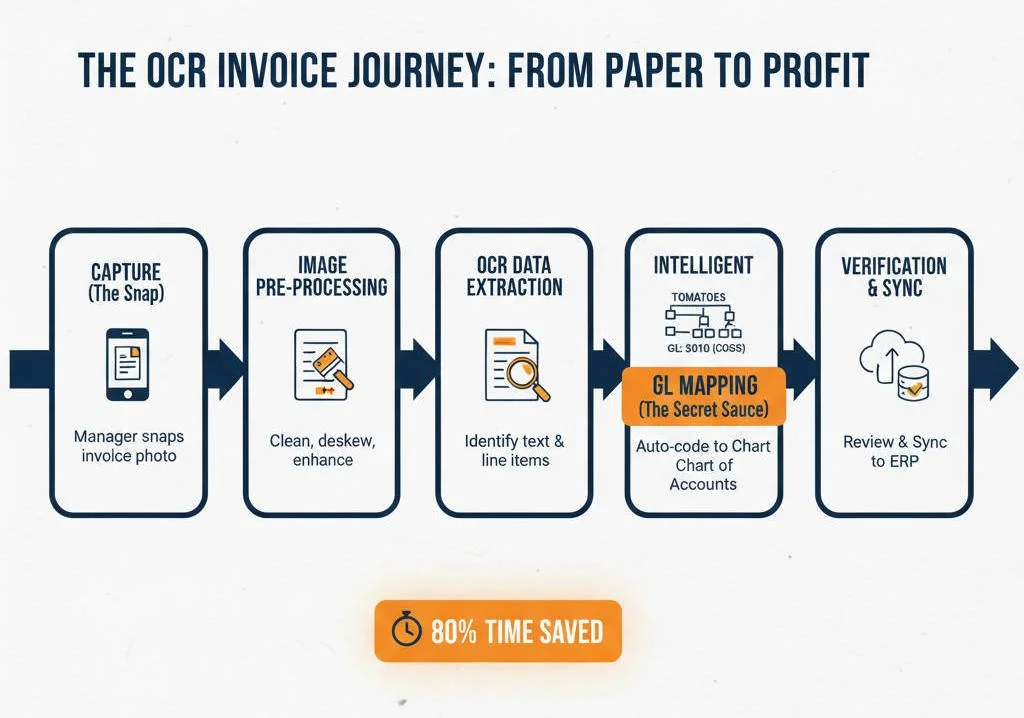
Capture the Document: Invoices come in via email, upload, or even a snapped photo.
Text Recognition: OCR reads every character on the document and converts it to text.
AI Mapping: Advanced systems intelligently interpret the layout, so they understand that line 7 with “Roma Tomatoes” corresponds to your food cost, not some random ledger code.
Validation & Routing: Extracted data is checked against purchase orders or vendor databases and sent to the right AP or ERP fields without human fingers hitting the keyboard.
This blend of OCR and intelligent classification is why today’s systems go far beyond legacy template-based extraction.
This level of automation is a cornerstone for operators building the optimal restaurant technology stack, as it ensures that your POS, accounting, and inventory tools are all speaking the same digital language.
EDI vs. OCR: Choosing the Right Data Pipeline
While OCR is a powerhouse for handling physical and PDF invoices, it is important to understand where it sits alongside Electronic Data Interchange (EDI). To build a truly "definitive" back office, you usually need a hybrid of both.
EDI (The "Digital Handshake"): This is a direct computer-to-computer connection. When a major broadline distributor (like Sysco or US Foods) sends an invoice, the data flows directly into your system as a pre-coded file. There is no "document" to read because the data is already structured.
OCR (The "Universal Translator"): This is for the other 80% of your vendors, the local produce farm, the specialty bakery, or the repair technician. These vendors provide PDFs or paper slips that require a "brain" to read and structure the data.
The Verdict: You want EDI for your highest-volume vendors to ensure 100% accuracy, but you need a robust, managed OCR service to handle the "long-tail" of local suppliers who provide your unique ingredients but lack the tech infrastructure for EDI. Together, they create a 100% digital workflow.
Why OCR Invoice Processing Matters for Restaurants
In hospitality, chaos isn’t a bug, it’s a feature of Friday night service. But when it comes to your finance office, chaos kills margins.
The Labor Cost Pressures
Restaurant labor costs have been rising sharply, with salaries and wages representing around 30–36% of sales for most operators, a figure that eats deep into profit margins.
When your AP team is crunching invoices manually, every dollar spent on data entry is a dollar pulled away from strategic financial decisions like pricing adjustments, vendor negotiations, and expansion planning.
Many restaurant groups find that the most efficient way to scale without adding head count is to outsource data entry services, allowing specialists to manage the OCR exceptions while the internal team focuses on growth.
Manual vs Automated Costs
Industry data shows manual invoice handling often costs between $15–$40 per invoice, but when you layer in OCR and automation, that cost can shrink to under $5, a savings up to 80%.
In the restaurant context, that’s real dollars back into food costs, labor, or investing in technology that helps you win market share.
What Is an OCR Number on an Invoice?
Often when we ask “what is an OCR number on an invoice?”, we’re talking about a code the vendor embeds to help the system or bank recognize the invoice during payment automation. OCR systems identify and extract this number to ensure accurate invoice matching and reconciliation. Think of it as the digital fingerprint that lets your AP automation lock onto the right transaction.
Step-by-Step: The OCR Invoice Workflow
Here’s how a mature over invoice processing system works end-to-end (with the humor your back-office deserves):
Capture
Invoices arrive like unruly guests: email PDFs, scanned receipts, pictures from a vendor portal. All of them go right into your AP inbox.
OCR & Conversion
OCR recognizes the vendor, total, invoice number, tax, and yes, that line with “tomatoes”. The system starts converting it from image → data.
Extraction & Coding
Now comes the magic, this isn’t just OCR reading text. It’s AI and dedicated support that makes sure the following elements are labeled correctly:
Vendor
Invoice number
Invoice date
Line items
GL codes (like food cost, labor, operating supplies)
This is the true leap that separates generic OCR from the best OCR for invoice processing. Crucially, an ideal AP provider that combines both AI technology with human support is the go-to route, bridging the gap for Unit of Measure (UoM) conversion.
One of the hardest parts of restaurant accounting is converting "1 Case" to "24 Bottles" or "10 Lbs." While AI does the heavy lifting, adding specialized teams dedicated to inventory back-office support—real people who validate that every conversion is done correctly, is vital for maximizing efficiency with unit of measure in inventory management. This human-in-the-loop approach ensures your theoretical costs stay 100% accurate even when vendor packaging changes.
Validation & ERP Integration
Best-in-class automation checks totals, compares against POs, and flings the structured data into your ERP. This integration is critical for mastering multi-entity accounting for restaurant groups, as it allows for clean intercompany transactions and real-time reporting across dozens of different locations or franchise brands.
Exception Handling
If the AI is not 100% sure, maybe a vendor uses a weird layout — the system flags that one for human review while everything else moves on.
Choosing the Best OCR for Invoice Processing
Restaurant CFOs and COOs should evaluate systems on:
Accuracy: Higher field-level accuracy (95%+) means fewer corrections later.
Layout Flexibility: Must work across Sysco, US Foods, local vendors, and landlord invoices.
Integration Quality: How well does it plug into your ERP or oct erp stack? (Some systems call it OCR ERP integration.)
Error Handling: Smart automation still knows when to bounce an exception for review.
Scalability: From 500 to 50,000 invoices a year, performance should not degrade.
2026 Projections: Why OCR Is No Longer Optional
By 2026, AI-driven OCR is the standard in accounts payable, not a cutting-edge perk. Research shows:
Only ~8% of finance teams will operate fully manually by 2026, with the rest adopting mixed or automated workflows.
Automated invoice processing can cut up to 80% of data entry labor — freeing staff for analysis and supplier strategy.
For growing restaurant chains where margins are thin and visibility across units is essential, sticking with manual invoice processing is a competitive liability.
Key Benefits for Restaurant Financial Operations
Fast Cycle Times
OCR can reduce invoice processing time from days to minutes.
Accuracy Boost
AI-assisted extraction minimizes manual errors such as mistyped totals or mis-coded GL lines. This precision is vital for calculating Actual vs. Theoretical food cost, as even a small error in invoice entry can lead to massive phantom variances in your profit margins.
Labor Cost Reduction
Automation shrinks the hours your AP team spends on low-value tasks — and lowers your prime cost headaches.
Better Cash Flow Visibility
Instantly processed invoices mean quicker approvals, smarter payment timing, and fewer surprise late fees or missed early pay discounts.
Common Pitfalls and How to Avoid Them
Even best-in-class ocr billing systems can struggle when:
Invoice images are low resolution.
Vendor templates vary wildly.
Legacy ERP systems fail to integrate smoothly.
These are reasons to prioritize tools that combine OCR with intent recognition and flexible AI over simple character scanners.
Conclusion: The AP Revolution for Restaurants
By now, the case is clear. Manual invoice entry in hospitality is like running a kitchen without a prep station, possible, but inefficient, costly, and stressful. What is OCR invoice processing? It’s your automated line cook, prepping data so your AP team can focus on strategy and control, not key-by-key entry.
By 2026, AI-powered OCR invoice automation will be table stakes for restaurant finance, cutting processing time by 80%, eliminating most manual entry, and offering real-time visibility into cash flow across all units.
👉 That’s where Over Easy Invoices steps in: the centralized hub for AP automation built for restaurants. We eliminate manual entry, reduce processing time by up to 80%, and give you real-time invoice tracking and cash flow visibility across all locations, finally letting your finance team focus on what matters: margins, growth, and keeping the kitchen running smoothly, even on Saturday nights. Contact us today to add AP Automation to your restaurant practice.